 Free Auto Refresh
Follow the bidding to the last second.
Not every auction page updates itself. A short refresh interval keeps the current bid in front of you when it matters.
How auctions and launches works
Not every auction page updates itself. A short refresh interval keeps the current bid in front of you when it matters.
Leave Pause while typing on. If a refresh comes due while you are entering an amount, it waits.
Quick setup
Open the auction listing.
Set Min and Max to 5 for the final minutes.
Switch on Keep scroll position.
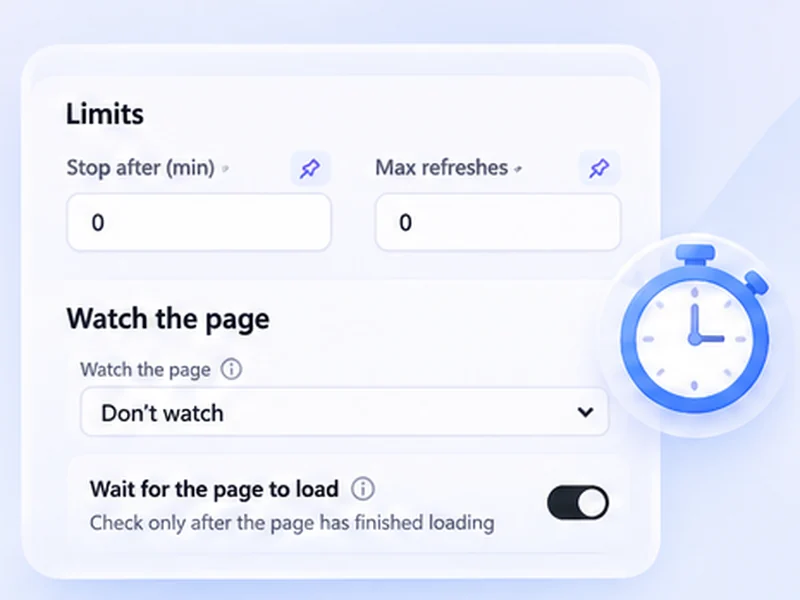
Optionally watch the bid element with Stop when content changes.
Keep an auction page current
Some auction and limited-release pages only show a new bid or status after a reload. A short refresh interval in the closing minutes keeps the real figure in front of you, with your scroll position held so the bid box stays in view.
Bid without being interrupted
Leave Pause while typing on. If a refresh comes due while you are entering an amount, it waits. You can also watch the current-bid element with Stop when content changes to be told the instant someone outbids you; press Start again to keep following.
Short bursts only
Reload every five to ten seconds just for the final minutes, and use a longer interval before then.
Use intervals that are reasonable for the site and only monitor pages you are allowed to access. The extension does not get around logins, queues, rate limits or other access restrictions.
A worked example: the last five minutes
With five minutes to go, set Min and Max to 5, switch on Keep scroll position, and press Start. The current bid updates every five seconds while the bid box stays in view. When you start typing an amount, the counter shows Waiting, you are typing, and the page holds still until you submit.
Be alerted when you are outbid
Earlier in the auction, use a slower 30 to 60 second refresh with Stop when content changes on the current-bid element. Each new bid stops the run and notifies you. Press Start again to keep watching.
What it will not do
It does not bid, snipe or raise your maximum. Timing the final bid is up to you.
At a glance
- Fresh bids. Reload every few seconds in the closing minutes.
- Alert on a new bid. Watch the current-bid element and get notified when it moves.
- Keeps your place. Scroll position is restored so the bid box stays in view.
Questions, answered.
Can it place bids for me?
No. It refreshes and alerts only.
Will a refresh clear a bid I am typing?
Not while you are typing. Smart pause holds the reload.
Does it work for product launches and drops?
Yes. Watch for the Coming soon text to disappear.
How fast should I refresh near the end?
Five to ten seconds, briefly.
Is refreshing allowed on auction sites?
Rules differ. Short bursts are usually fine, but check the site's terms before refreshing rapidly for long periods.
Let the page check itself.
Use the free extension for Chrome or Firefox.
Have a different use case in mind?
Share the browser task you would like to make easier. Your idea helps guide what gets built next.