 Free Auto Refresh
Auto refresh WordPress. No plugin needed.
Nothing to install on the site. The reload happens in your browser, so it works on any WordPress site you can open.
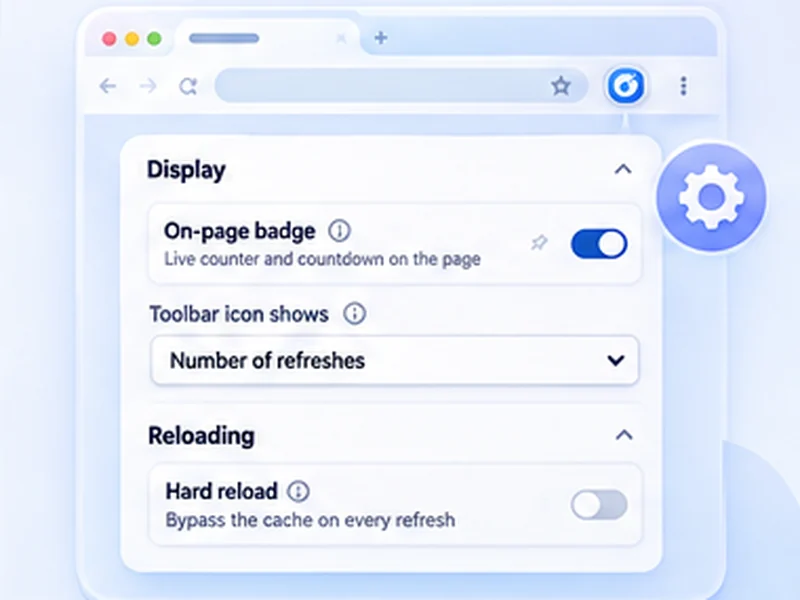
How wordpress works
Nothing to install on the site. The reload happens in your browser, so it works on any WordPress site you can open.
If a page keeps showing the old version, your caching plugin or CDN is serving a stored copy. Purge that cache or exclude the page; a browser reload cannot bypass a server cache.
Quick setup
Open the page or admin screen.
For previews set Min and Max to 3 and switch on Hard reload.
For orders set Min 60 and Max 120 and watch the list with Stop when content changes.
Refresh a WordPress page from the browser
WordPress auto refresh plugins add code to your site. For your own use you do not need one: the reload can happen in your browser, on any WordPress site you can open, with nothing installed on the server.
Common WordPress uses
Theme and CSS editing
Reload the front-end preview every few seconds with Hard reload on.
WooCommerce orders
Leave the orders screen open and be notified when the list changes.
Comments and form entries
Watch the list with Stop when content changes.
If the page will not update
A caching plugin or CDN is serving a stored copy. Purge that cache or exclude the page; a browser reload cannot bypass a server-side cache.
A worked example: tweaking a theme
Open the page you are styling in one window and the Customizer or your editor in another. On the page, set Min and Max to 3, switch on Hard reload and Keep scroll position, and press Start. Each time you save, the page shows the change within a few seconds.
Auto refresh the WooCommerce orders screen
Open WooCommerce, Orders. Use Stop when content changes with a 60 to 120 second interval. A new order changes the list and you get a desktop notification. Press Start again to keep watching.
If a visitor-facing auto refresh is what you need
This extension refreshes your own browser only. To make a page reload for every visitor, you need code on the site itself, such as a refresh meta tag or a plugin.
At a glance
- Theme and CSS work. Keep the front-end preview reloading while you edit, with hard reload to skip the cache.
- Orders and comments. Leave the WooCommerce orders or comments screen open and see new items arrive.
- Safe while you type. Pause while typing protects a post or reply you are writing.
Questions, answered.
Do I need a WordPress plugin?
No. It works from your browser.
Will visitors see the page refreshing?
No. Only your own tab reloads.
Does it work in wp-admin?
Yes, on any admin screen.
Will it lose a post I am writing?
Pause while typing holds the reload, but save your draft first.
Does it slow my site down?
It makes the same request as pressing reload. Use sensible intervals on shared hosting.
Let the page check itself.
Use the free extension for Chrome or Firefox.
Have a different use case in mind?
Share the browser task you would like to make easier. Your idea helps guide what gets built next.