 Free Auto Refresh
Auto refresh, in your language.
The popup, the settings page, the on-page counter and the notifications are translated into seven languages.
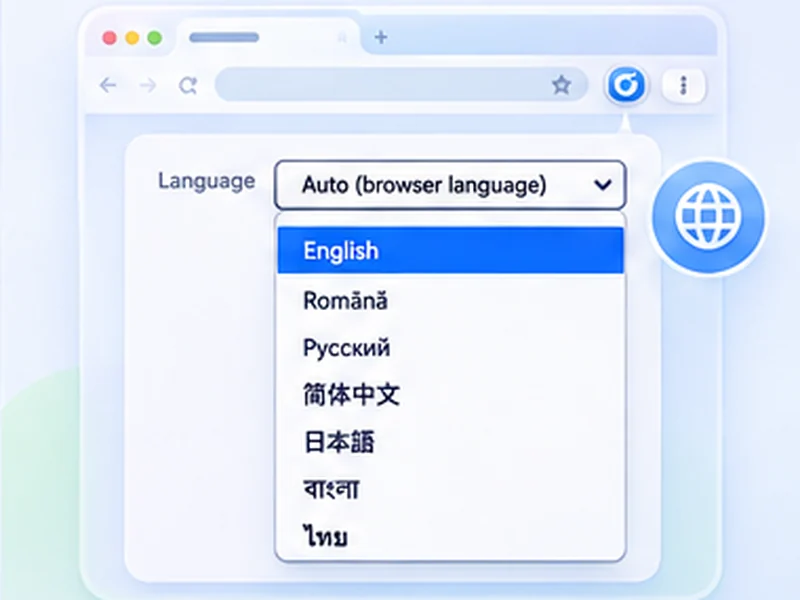
How 7 languages works
The popup, the settings page, the on-page counter and the notifications are translated into seven languages.
Translations are community-checked over time. If a phrase reads oddly, open an issue on GitHub and it will be fixed.
Quick setup
Open the popup.
Find Language at the bottom.
Choose a language, or Auto to follow the browser.
An auto refresh extension in seven languages
Free Auto Refresh is available in English, Romanian (Română), Russian (Русский), Simplified Chinese (简体中文), Japanese (日本語), Bengali (বাংলা) and Thai (ไทย). The popup, the settings page, the on-page counter and the notifications are all translated.
It follows your browser
By default the extension uses your browser's language, so most people never touch the setting. To choose one yourself, use the Language menu at the bottom of the popup or the top of the settings page. The change applies immediately.
Every setting explained in plain words
Each setting has a small (i) icon. Hover over it for a short explanation of what it does, written without jargon and translated along with everything else.
Help improve a translation
Each language is one small file in the project. If something reads oddly, open an issue on GitHub.
Auto refresh in Romanian, Russian and more
If your browser is set to Romanian, the extension opens in Romanian: Pornește instead of Start, Setări avansate instead of Advanced settings. The same goes for Russian, Chinese, Japanese, Bengali and Thai. Nothing needs to be chosen.
What is translated
- The popup and the full settings page.
- The counter shown on the web page.
- The desktop notification when a watch rule matches.
- The explanation behind every (i) icon.
What is not translated yet
The store listings and this website are in English. Watch text is never translated: type the phrase exactly as it appears on the page you are watching, in that page's language.
At a glance
- Seven languages. English, Română, Русский, 简体中文, 日本語, বাংলা and ไทย.
- Automatic by default. It follows the language of your browser. Change it any time from the bottom of the popup.
- Help in plain words. Every setting has an (i) icon that explains what it does, in your language.
Questions, answered.
How do I change the language?
Use the Language menu at the bottom of the popup, or choose Auto to follow the browser.
Is there a Romanian version?
Yes. Română is fully translated and is used automatically if your browser is set to Romanian.
Are the store listings translated?
Not yet. The extension itself is; the store pages are in English.
Can I request another language?
Yes, on GitHub. New languages are straightforward to add.
Does the language affect how it works?
No. Only the text changes.
Will more languages be added?
Yes. Each language is one small file, so new ones are easy to add.
Try it on your next open tab.
Free for Chrome and Firefox, with no account required.
Not seeing the feature you need?
Share the browser task you would like to make easier. Your idea helps guide what gets built next.